
Until now, Control gave you two extremes: keep a run to yourself, or publish it to the whole Control Club feed.
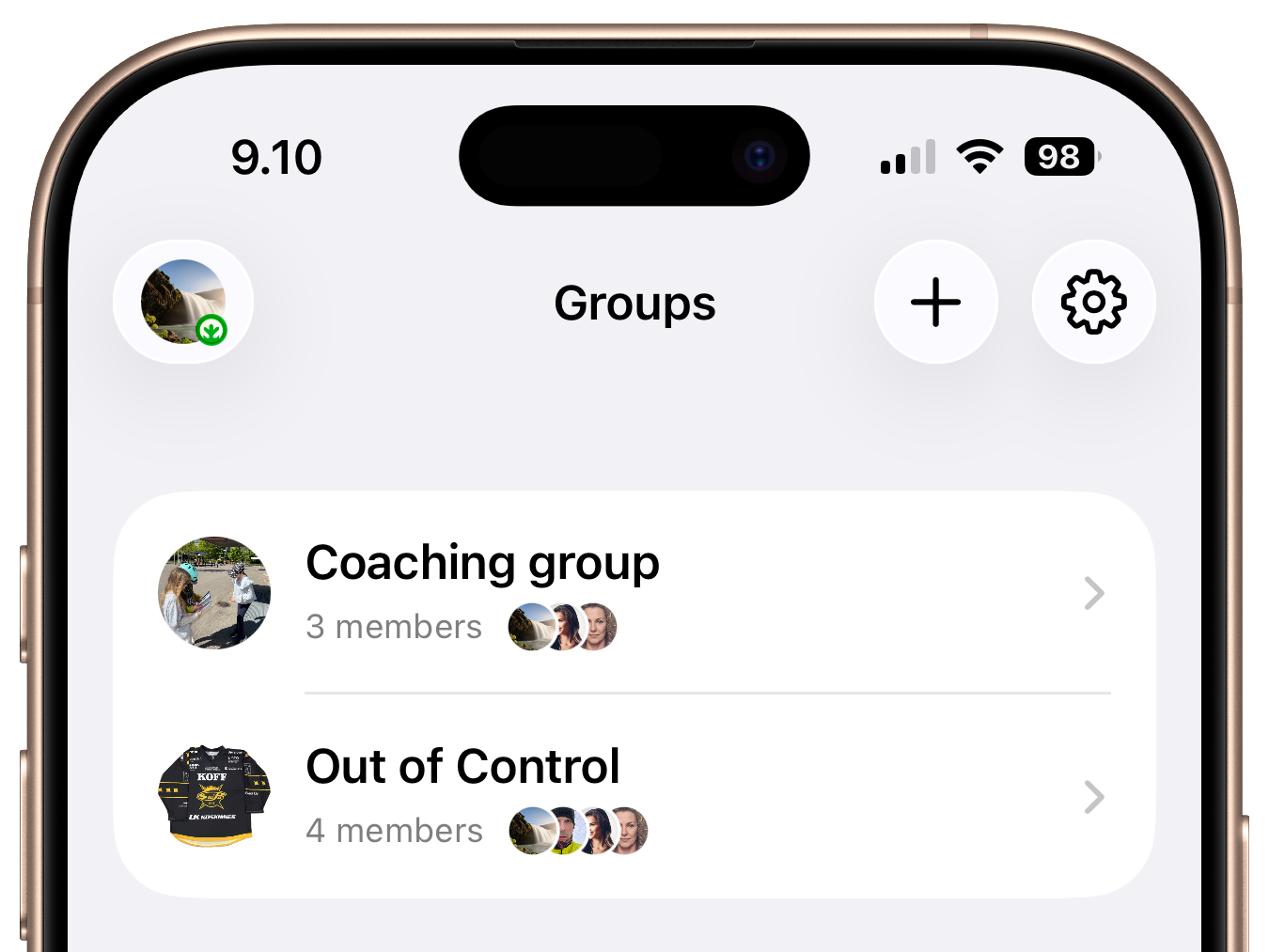
Today we’re adding the missing middle. Meet Groups — private spaces where you, your friends, team mates or your coach can share and discuss about runs together.
What is a Group?
A Group is a private feed shared by a handful of people you choose. Think of it as a clubhouse: your training squad, your club, your relay team, the three friends you always end up chasing at the local event.
Runs shared to a Group are visible only to its members — not to the wider Control Club.
You can be part of as many Groups as you like, and each one shows up in its own Groups tab right in the main navigation.
What you can do
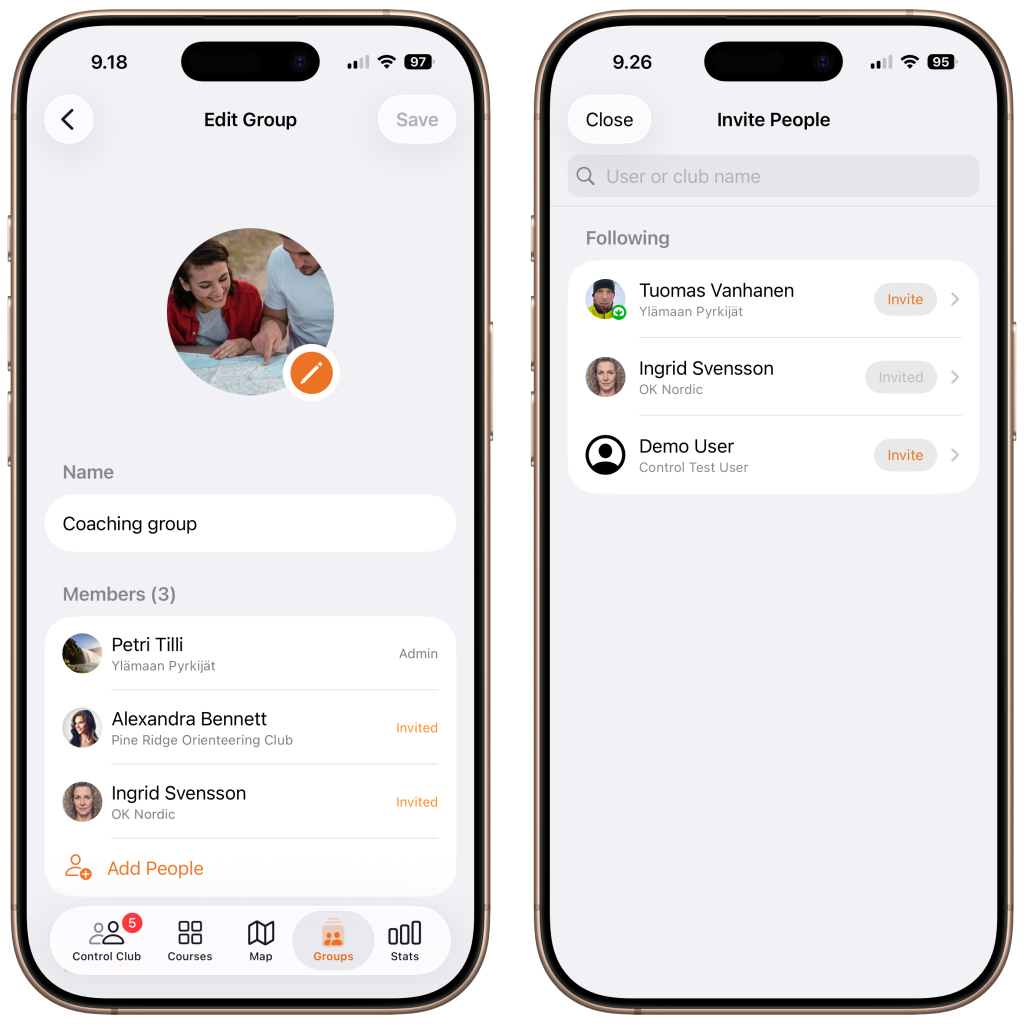
Create a group and make it yours. Spin up a new Group, give it a name, and add a custom icon so your relay team doesn’t look like every other list item.
As the creator you’re the admin, with full control over the group’s details and membership.
Invite the right people. Search for people you follow and send them an invite. They’ll see it land in their notifications — “*invited you to…*” — and can accept or decline with a tap. Everyone in the group sees who’s a member, who’s an admin, and who still has an invite pending.
Choose whether to share run in public or private. When you publish a run, you now decide its audience:
- Public – shared to the Control Club feed, like always.
- Private – shared only to a Group you pick.
- Public & Private – posted to the Club and your Group.
Your epic Sunday forest run can go to the world; your messy Tuesday intervals can stay between friends.
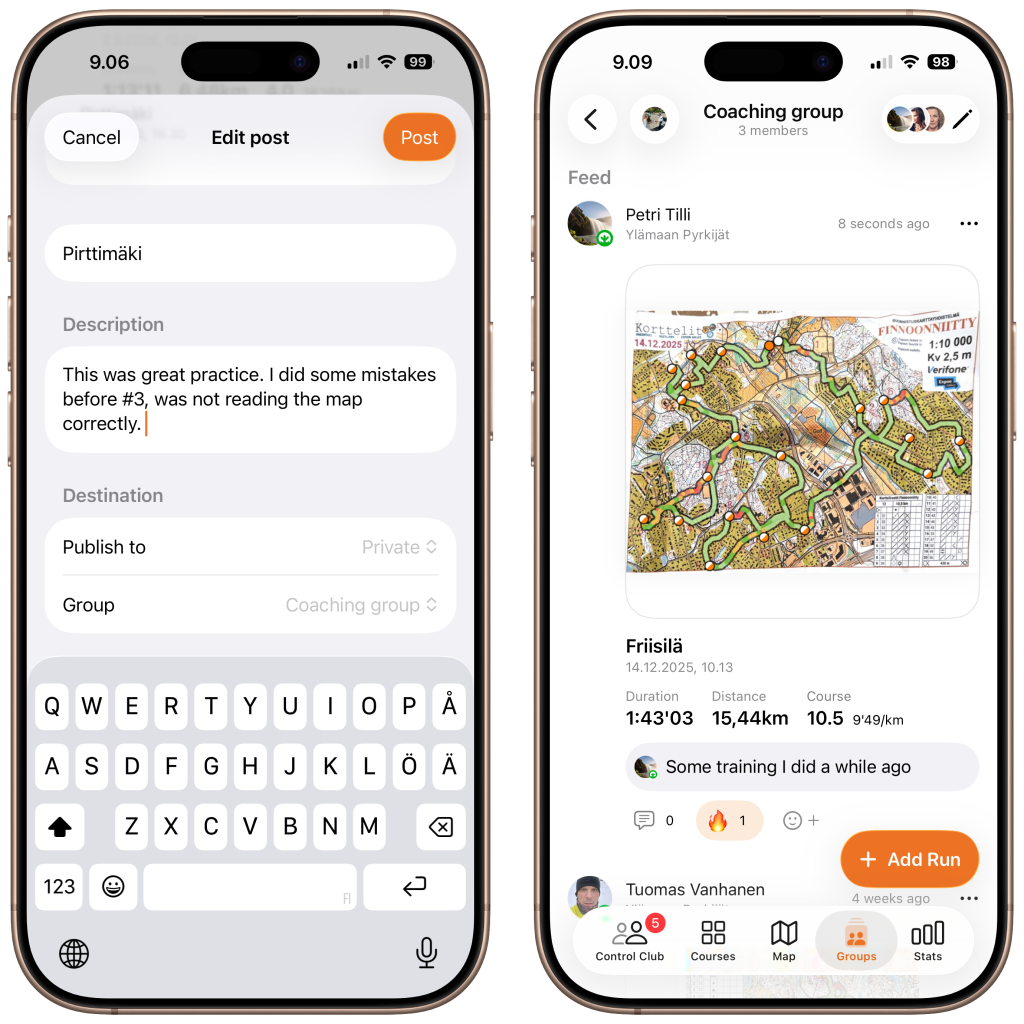
React and talk about it. Every run shared to a Group is something to talk about. Drop an emoji reaction, leave a comment, and read what everyone else thought.
Stay in the loop. Groups plug straight into notifications. When there are new posts in your groups, you’ll know — along with reactions and comments on the runs you’ve shared.
How to get started
- Open the Groups tab
- Create a group, give it a name, and you’re off.
- Open your new group, head into Edit, and Invite People you follow.
- Next time you finish a run, choose Private or Public & Private when you publish — and pick your group as the destination.
That’s it. The first run lands in the feed, the first reaction comes in, and the conversation starts.
Built for the way you train
Groups are built as a safe space between you and your friends, coach or club mates. Share and discuss exercises or competitions privately. Whether you are training seriously or just want to share your runs with your friends in private, groups are built for you.
You need Total Control subscription to create a group but everybody else is free to join to a group.
Happy orienteering! We’ll see you in the forest.